Excel · practical guide
Remove Duplicates in Excel Without Deleting Good Data
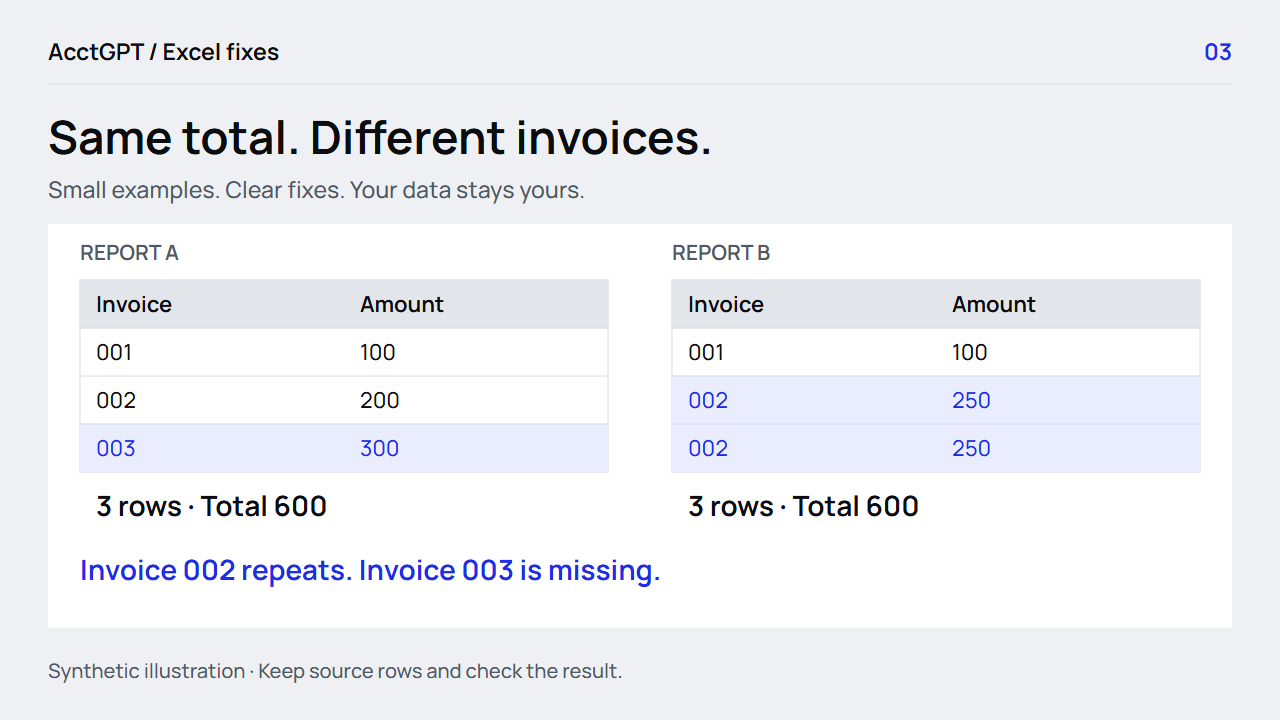
The same total and row count can hide repeated and missing invoices. Flag the keys before deleting.
Read the guideFree downloads · no signup
Try the Excel guides with synthetic data, check the answers, then adapt a copy for your own work.
Seventeen sheets bring the source rows, checks and results together.
Macro-free XLSX. No configured external connections. Your original files are not part of this download.
The free exercise is separate from the invitation-only $5 Report Tools Starter Kit. No payment or signup is needed for these files.
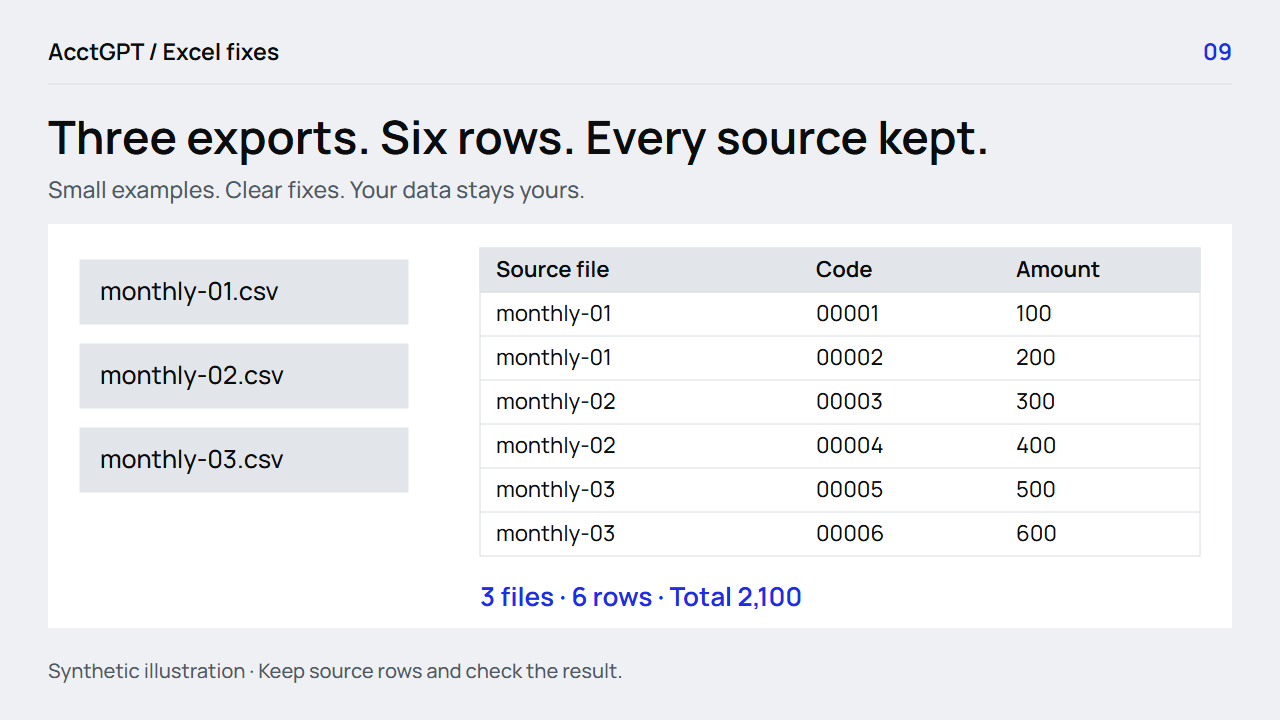
Three starting CSVs, a held-out fourth file, an optional Power Query recipe and a source-count checklist.
Expected controls: 3 files → 6 rows → 2,100. Add the fourth file: 4 files → 8 rows → 3,600. Keep invoice codes as text and source filenames attached.
Download the file exerciseThe optional recipe is reviewed against Microsoft documentation. Native Excel Power Query execution is not yet verified; the shared workbook has no embedded external connection.
Keep twelve Windows desktop shortcuts beside the task: make a Table, filter, move, edit, fill and format.
Download the printable referenceFormula results and PivotTable refresh were checked in LibreOffice 26.8. XLOOKUP requires Microsoft 365 / Excel 2021 or later; a VLOOKUP alternative is included. Native Excel menu and refresh verification remains pending.
Need to prepare your own export? Combine CSV/TSV files or pasted cells in the private list workspace. Keep the source rows and save a result on your device.
Try the private list toolExcel · practical guide
The same total and row count can hide repeated and missing invoices. Flag the keys before deleting.
Read the guideExcel · practical guide
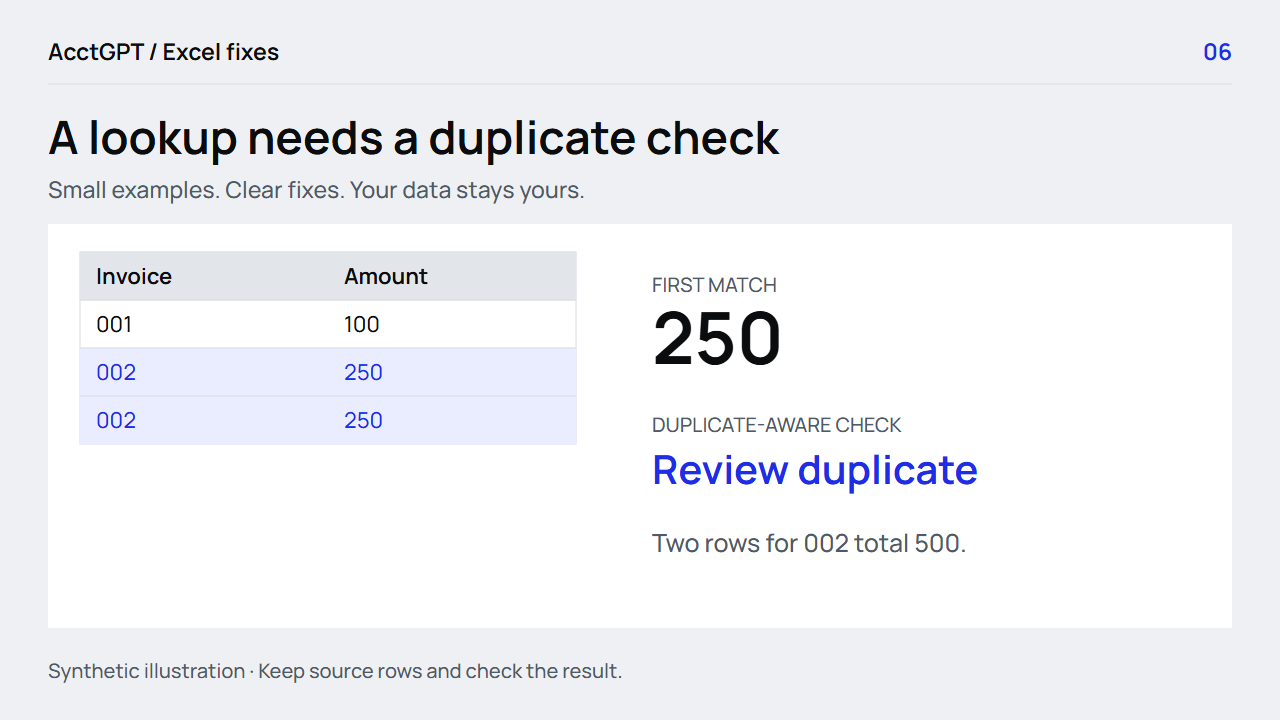
Find missing IDs and repeated keys with exact-match lookups, plus an older-Excel alternative.
Read the guideExcel · practical guide
Keep source filenames, set types deliberately and check six rows becoming eight.
Read the guide